For estimators, contractors and trades · Windows and Mac

Take-off on one screen.
The estimate on the other.

Studio Zero Estimating puts your PDF drawings and your MasterFormat estimate in one program, each in a window of its own. Set the scale, trace a slab or count the doors on one monitor, and price it on the other.

$250 CAD per user per year. Everything included.
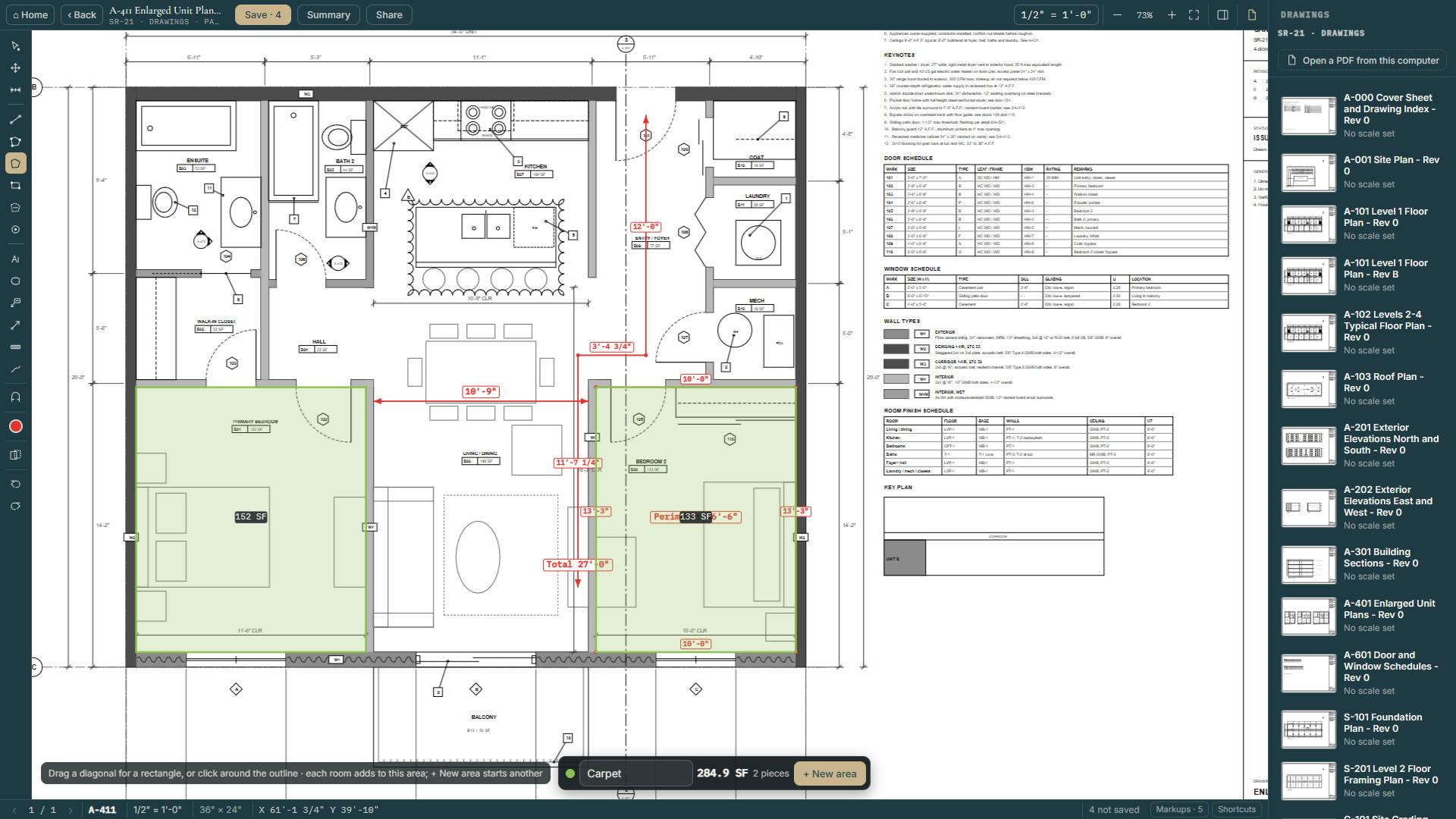
A floor plan with two bedrooms measured as carpet, 284.9 square feet, and dimension lines in red
1 · Open

Open the drawing set as PDFs and set each sheet's printed scale once.

2 · Measure

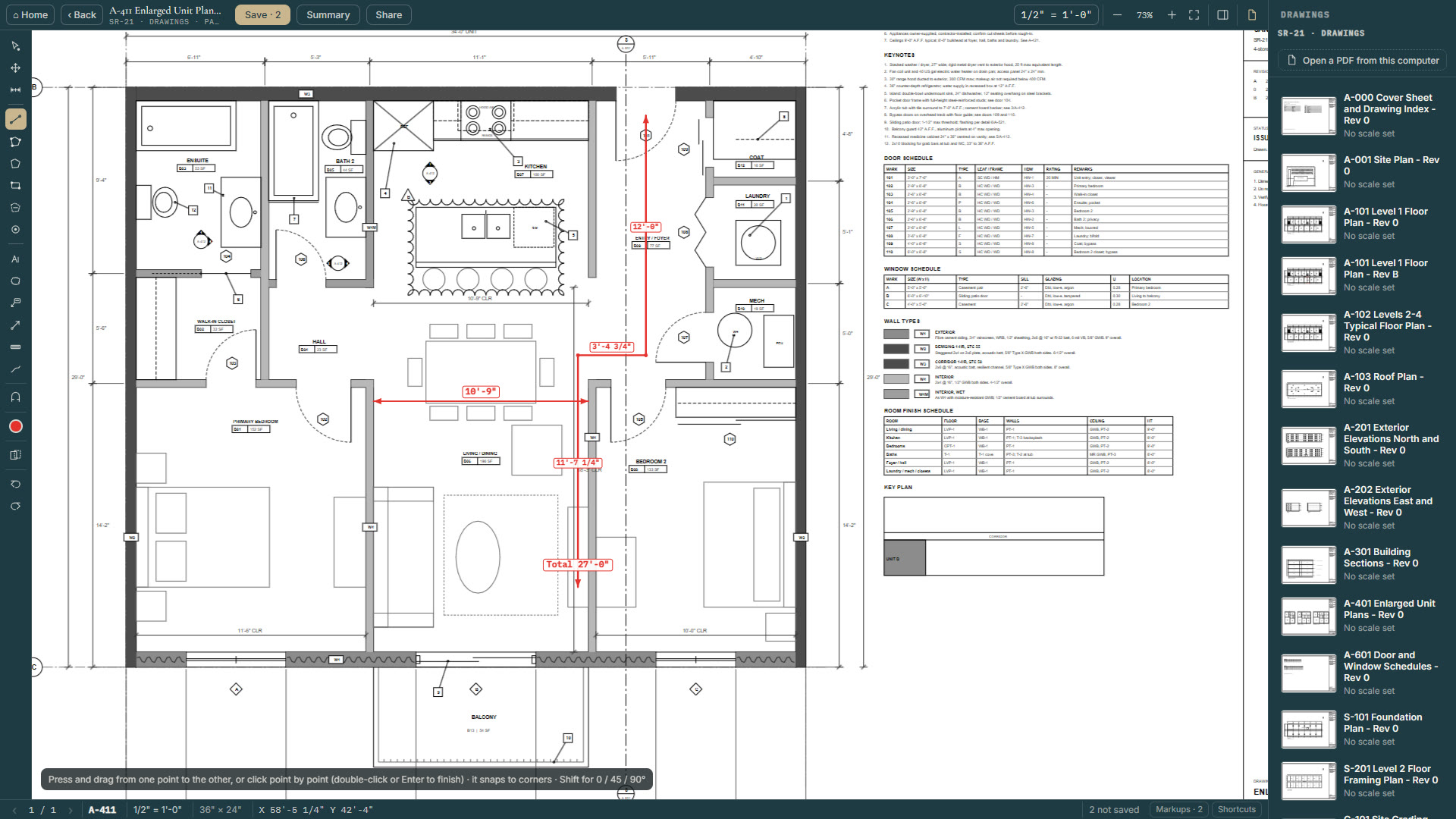
Lengths, perimeters, areas with openings cut out, and counts, each named and coloured.

3 · Price

Put the quantities on their MasterFormat lines. Every division and the total update as you go.

Who it's for

Built for the people who price the work.

Estimators

Price the whole job, line by line.

  • The full MasterFormat 2016 list, with your own lines under any number.
  • Labour, material, equipment and sub-trade rates on every line.
  • A cost summary by division, with fee, contingency and tax to the total.
  • Class D to Class A side by side, and why each line moved.
Contractors

From the drawing set to a price you can stand behind.

  • Take-off and estimate in one program, each popping out onto a screen of its own.
  • A quantity from a calculator is marked, so you can see where it came from.
  • Exclusions printed with the estimate.
  • Red/blue revision comparison when a new set of drawings arrives.
Trades

Count it, measure it, order it.

  • Count doors, fixtures or devices with a click each, every kind in its own colour.
  • Flooring by finish: carpet, tile and plank, each with its own total.
  • Concrete with rebar, and a lumber order list ready for your supplier.
  • Export the take-off as a CSV, or print a summary with your logo.
The full tour

Every feature, on the real screens.

Pick a part of the program and step through it. Nothing here is a mock-up.

    PDF take-off

    Take-off that reads like the plans.

    • Length point by point, with every leg labelled and a total at the end.
    • Areas: several rooms add to one total, so all the carpet is one number. Cut out what is not floor.
    • Counts: click each door or fixture. Every item is numbered, each kind in its own colour.
    • A markups list totals the sheet by name. Print a summary with your logo, or export it as a CSV.
    • Markups too: text, clouds, callouts, arrows and highlights, and red/blue comparison of revisions.
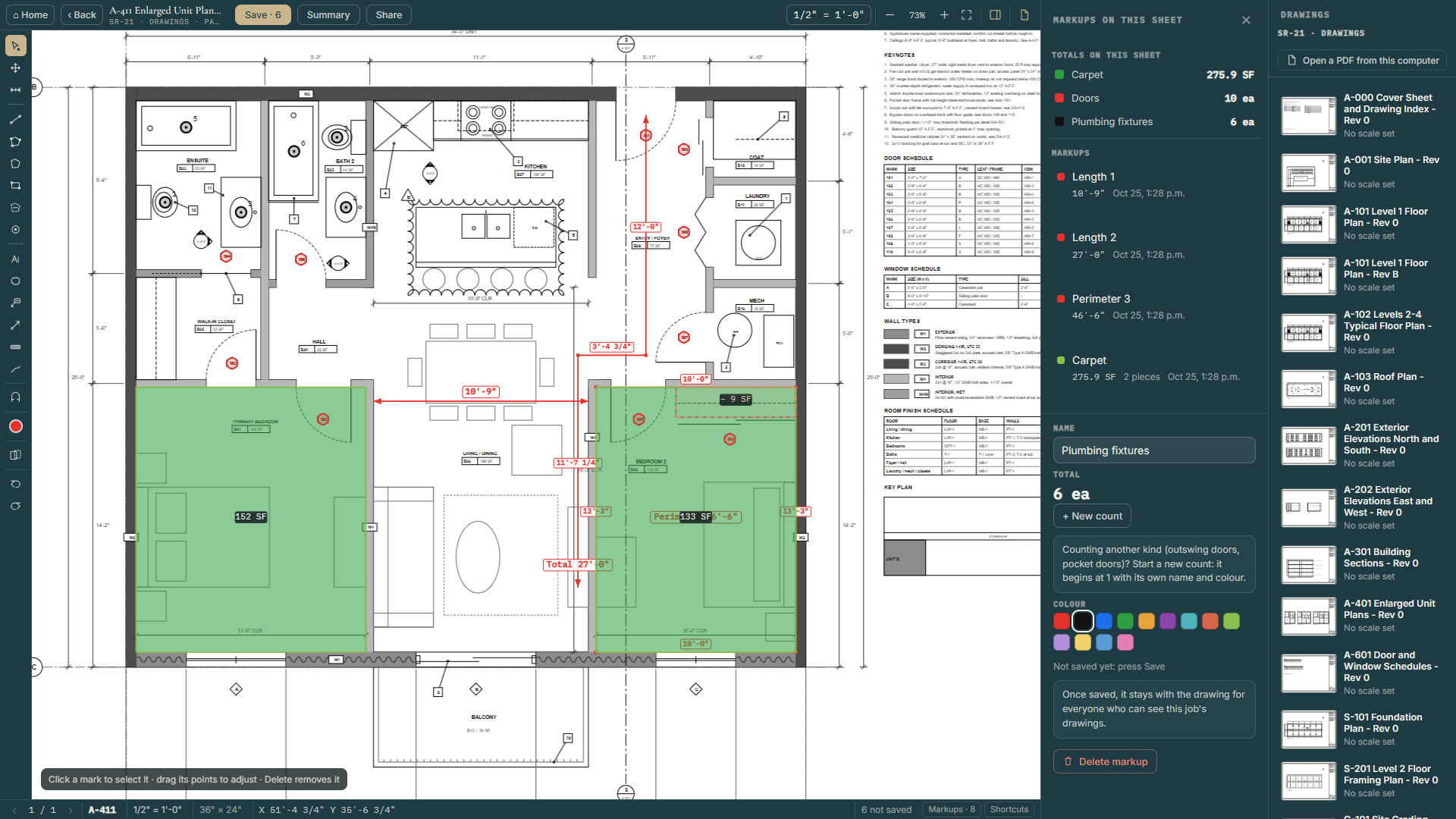
    The markups list on a sheet: carpet 275.9 square feet, doors 10, plumbing fixtures 6
    The estimate

    Every line under its MasterFormat number.

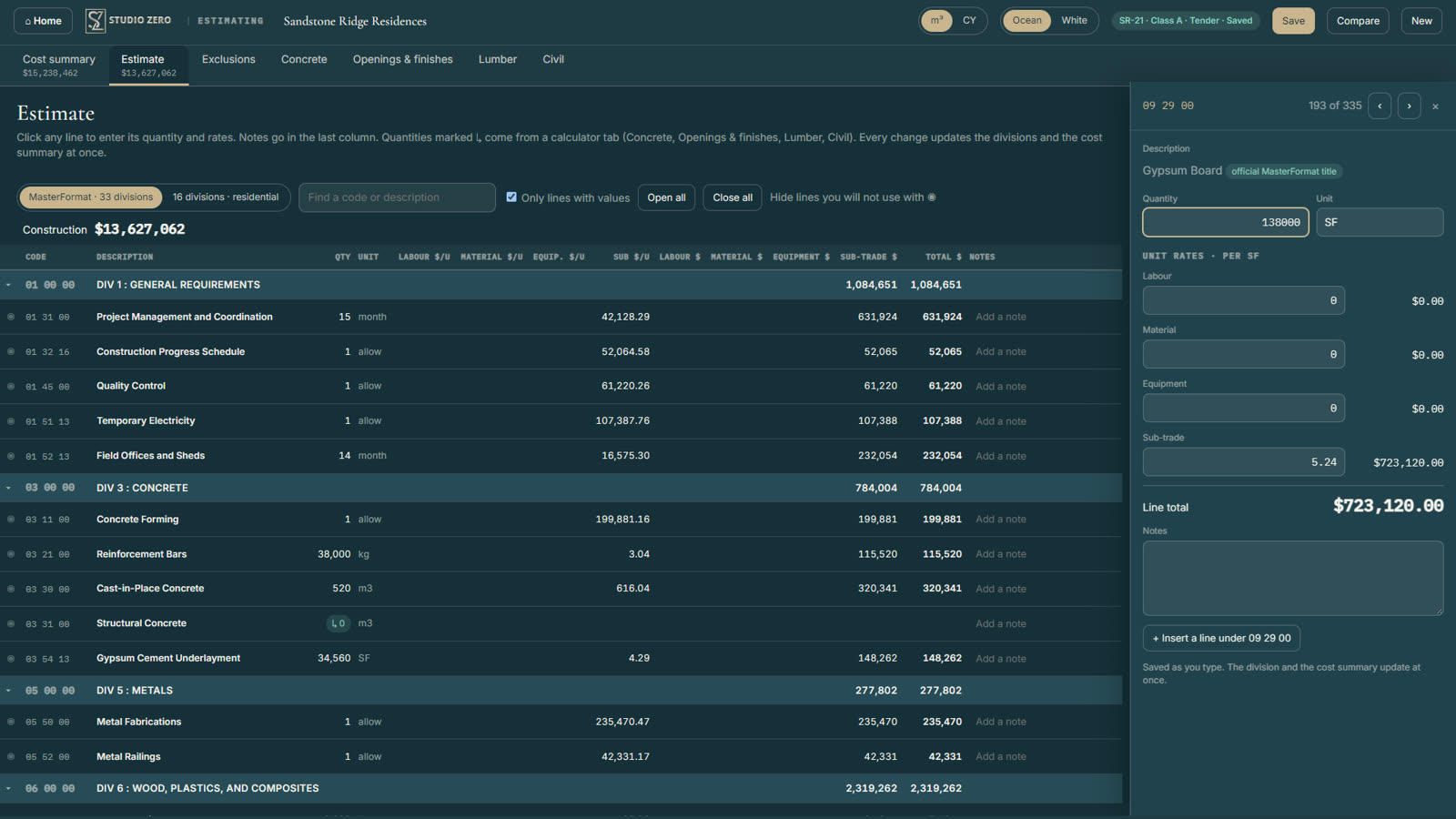
    The full MasterFormat 2016 list is built in. Each line has its quantity and unit, plus labour, material, equipment and sub-trade rates. Find a line by code or by words. Need something the standard does not have? Add your own line under any number and it takes the next sub-number.

    • Exclusions printed with the estimate.
    • A quantity that came from a calculator is marked, so you can see where it came from.
    • Imperial or metric, with concrete in cubic metres or cubic yards.
    The estimate sheet with a gypsum board line open: 138,000 square feet at $5.24, $723,120
    Calculators

    The arithmetic, done the same way every time.

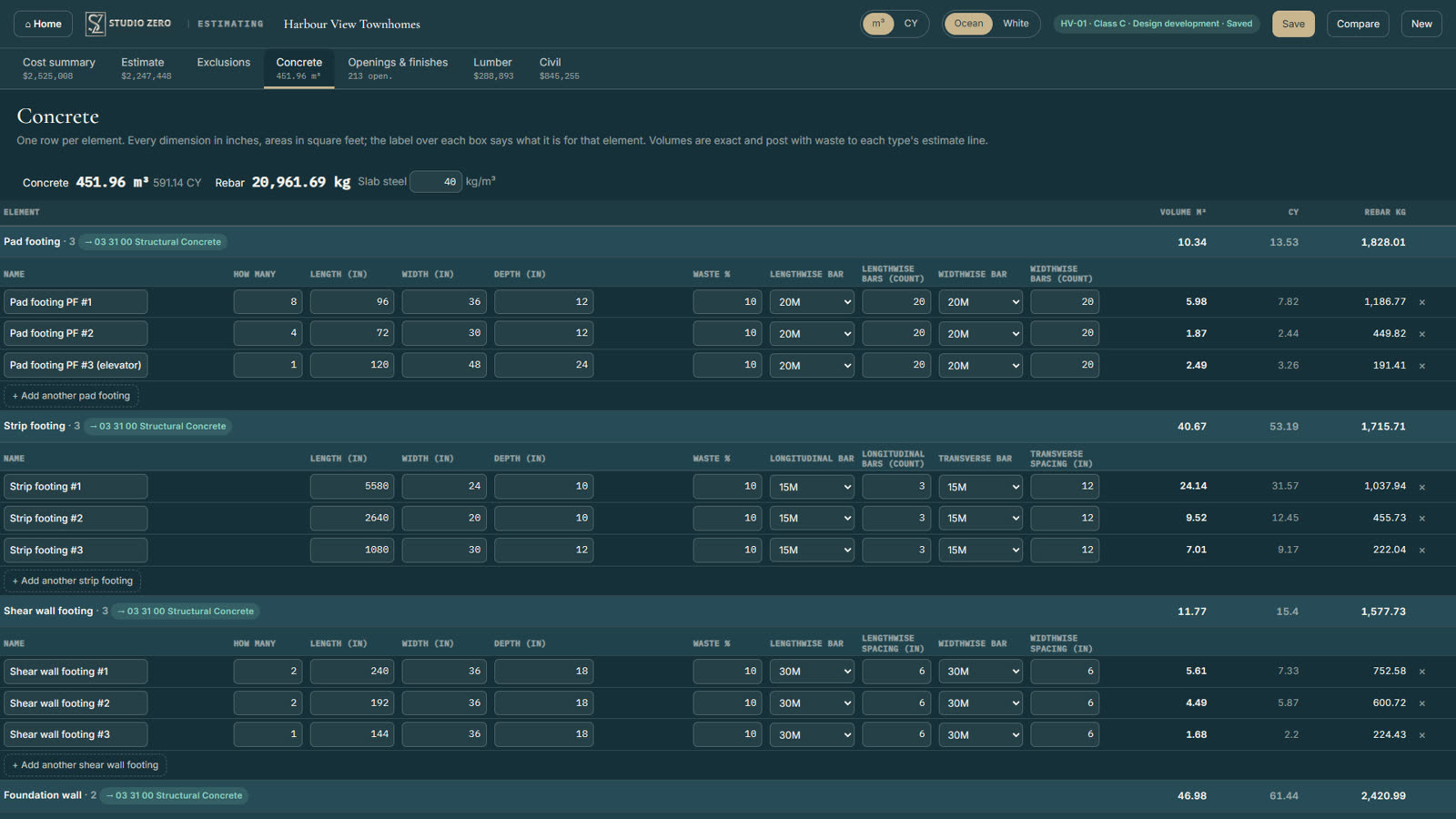
    • Concrete: pad and strip footings, walls and slabs, with volume, waste and rebar by bar size.
    • Openings and finishes: windows and doors, counts and supply prices, casing and baseboard.
    • Lumber: plates, studs and sheathing, as an order list you can print or send to a supplier.
    • Civil: earthwork, trenches, structures and paving, with the trucking.

    Each calculator posts its result to its own estimate line, in that line's unit.

    The concrete calculator: pad, strip and shear wall footings with sizes, waste and rebar, 451.96 cubic metres in total
    Cost summary

    From the lines to the price.

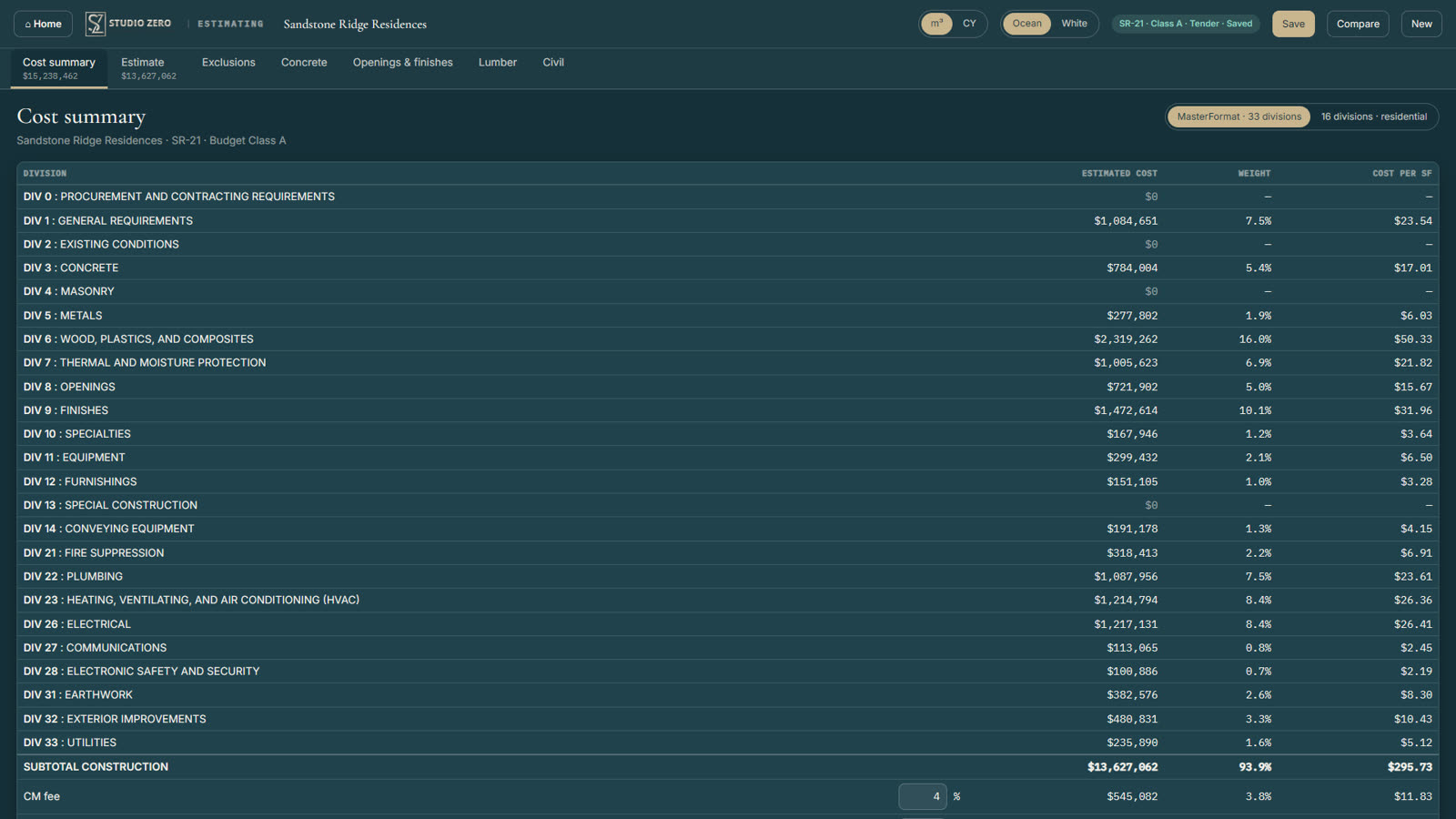
    Every division with its cost, its share of the job and its cost per square foot. Then the fee, the contingency and the tax, through to the total. Show it in 33 MasterFormat divisions or 16, and no number changes.

    The cost summary by MasterFormat division, with estimated cost, weight and cost per square foot
    Classes and comparing

    See how the number moved, and why.

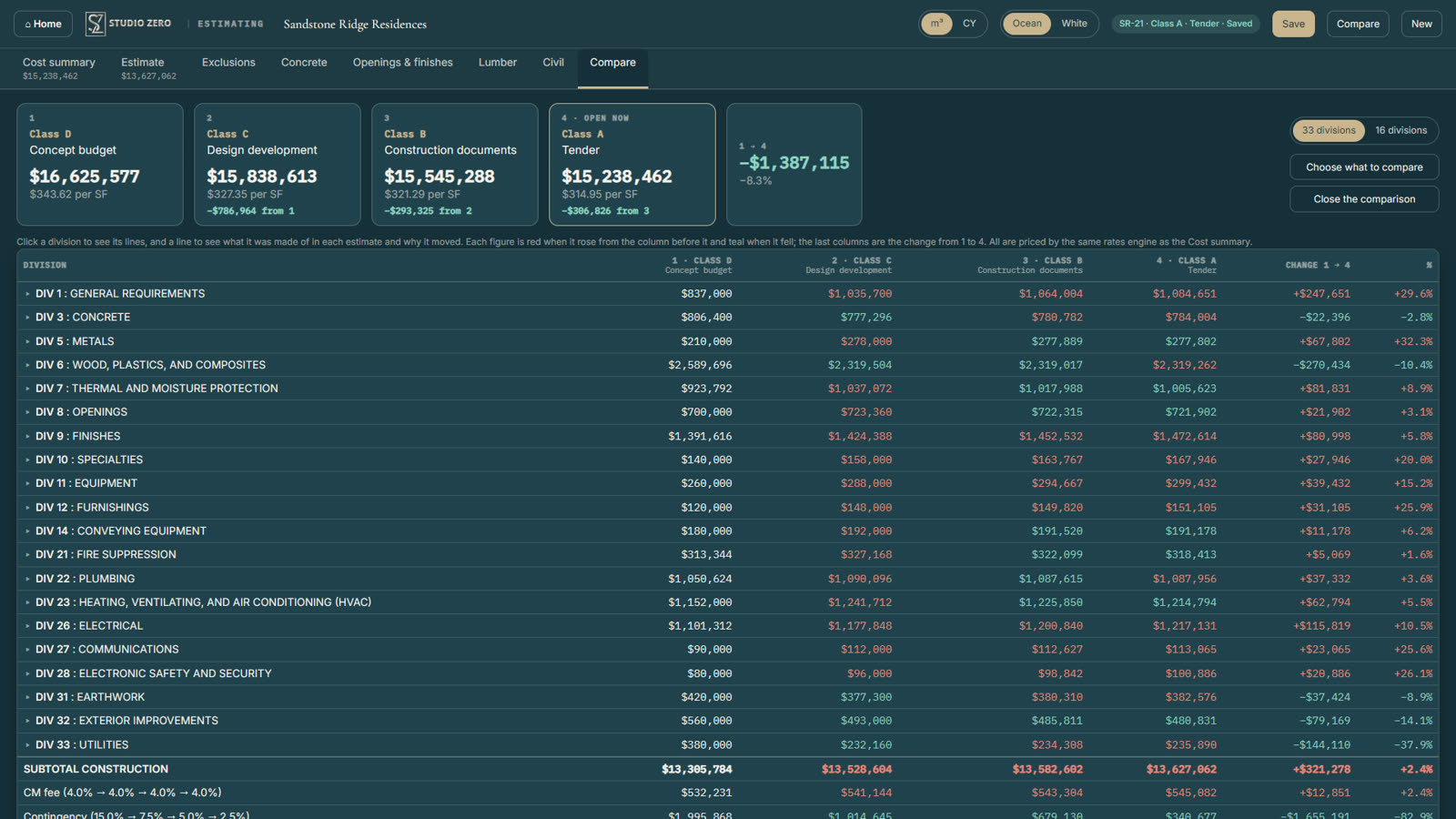
    Save each estimate with its class: concept, design development, construction documents, tender. Line them up from Class D to Class A and see each total, its cost per square foot and how far it moved. Open a line to see its quantity, rate and cost in every class.

    Four estimates side by side from Class D to Class A, with the change by division
    Pricing

    One price. Everything in it.

    $250 CAD per user per year
    • PDF take-off: lengths, areas, counts and markups
    • The full MasterFormat 2016 estimate sheet
    • Concrete, openings, lumber and civil calculators
    • Cost summary, classes and comparison
    • Windows and Mac, with the drawings and the estimate on separate screens
    • Your estimates saved online, on any computer you sign in from
    Tell me when it launches

    Plus applicable tax.

    Questions

    Before you download

    Can I use two screens?

    Yes. The drawings and the estimate each pop out into a window of their own, so you can do the take-off on one monitor and price it on the other.

    Does it work on Windows and Mac?

    Yes. You download and install it on either one, the same program on both.

    Do I need an internet connection?

    Yes. Your estimates and take-offs are saved online as you work, so they are safe and open on any computer you sign in from.

    What drawings can I measure?

    PDF drawing sets. Set each sheet's printed scale once and every measurement on it follows. Change the scale and the quantities are worked out again.

    Does a take-off change my PDF?

    No. Your measurements are saved with the estimate and drawn over the page. The drawing itself is never changed.

    Can I use my own line items?

    Yes. Add a line under any MasterFormat number and it takes the next sub-number, so your items sit beside the standard ones.

    Imperial or metric?

    Either, for every measurement. Concrete has its own cubic metres or cubic yards switch.

    How is it priced for a team?

    Per user: $250 CAD for each person who uses it, per year.

    Launching soon

    Be first to download it.

    Send us a note and we will tell you the day the Windows and Mac downloads open.

    Email me at launch

    Or write to info@studio-zero.ca with the subject "Studio Zero Estimating".